


THE RAM TEST
Small appetite.
Big difference.
Same track. Same PC. A much smaller footprint.
less RAM.
Look a little closer The individual samples
Working set in MiB. The first 10 samples of each run are omitted. The lines show the 35 retained observations per run; sample spacing is an index, not exact elapsed seconds.
Download the raw samplesMEET THE WINDOWS APP
Your music.
Right at home.
Your playlists, Liked Songs, and recommendations. In a native player that leaves room for everything else.
Connect YouTube Music or open your own audio files. Your playlists and Liked Songs come with you.
Play next, drag your queue into order, or let song radio and Autoplay find what follows.
Pin Mini above your other windows and adjust its opacity. Keep the music close, without taking over.
Your Home feed, your music. This is Tide running on Windows.
Pin it. Fade it. Keep listening.

Try the controls. No audio will play.
BETTER TOGETHER
Same song.
Same moment.
Send an invite. Let your friend pick the next track.
How to start a Jam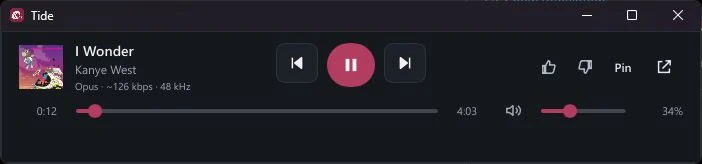
Connecting your music
Install Tide for Windows.
Download TideSetup.exe and choose Install Tide. Setup needs internet access and installs for your Windows user.
Connect your music.
For YouTube Music, download the matching Chrome companion. Load it in Chrome, enter its extension ID in Tide setup, then import your signed-in Music tab. The connection guide covers each step.
Connection guide Chrome companionChoose what to play.
Play a playlist, arrange your queue, or switch to Mini. You can also open local audio files without connecting YouTube Music.
A FEW THINGS TO KNOW
Good
questions.
Where can I use Tide?
Tide runs on Windows x64. It’s free and open source.
How does YouTube Music connect?
Tide uses your own signed-in YouTube Music session. Download the matching Chrome companion, load it manually in Chrome, register its extension ID during Tide setup, and import the selected Music tab. After importing, Chrome does not need to stay open for playback.
What stays private?
Tide has no analytics or automatic browser-cookie access. Imported sessions are encrypted locally with Windows DPAPI. Search and streaming contact external providers; local-file playback stays local.
How do I listen with a friend?
Install the latest Tide and connect your own YouTube Music accounts. Play a song, choose Jams → Start Jam → Copy invite, and share the invite with your friend. They paste it in Jams → Join Jam. Guests can add tracks; the host controls playback, and each person keeps their own volume.